105 lines
4.3 KiB
Markdown
105 lines
4.3 KiB
Markdown
# Backup system for October CMS
|
|
- [Overview](#introduction)
|
|
- [Requirements](#requirements)
|
|
- [Features](#features)
|
|
- [Usage](#usage)
|
|
- [Storage](#storage)
|
|
- [Dumping the database](#dumping-db)
|
|
<a name="introduction"></a>
|
|
## Introduction
|
|
This plugin let you create backups of your files and databases. It uses the amazing laravel package [spatie/laravel-backup](https://github.com/spatie/laravel-backup).
|
|
|
|
<a name="requirements"></a>
|
|
## Requirements
|
|
This backup package requires **PHP 7.1 or higher** with the [ZIP module](http://php.net/manual/en/book.zip.php) and **Laravel 5.5 or higher**. It's not compatible with Windows servers.
|
|
|
|
The plugin needs free disk space where it can create backups. Ensure that you have **at least** as much free space as the total size of the files you want to backup.
|
|
|
|
Make sure `mysqldump` is installed on your system if you want to backup MySQL databases.
|
|
|
|
Make sure `pg_dump` is installed on your system if you want to backup PostgreSQL databases.
|
|
|
|
Make sure `mongodump` is installed on your system if you want to backup Mongo databases.
|
|
|
|
<a name="features"></a>
|
|
## Features
|
|
- With just a click you can:
|
|
- Create backups of the whole application.
|
|
- Create backups of the database only.
|
|
- Create backups of the files only.
|
|
- Currently support local and dropbox storage driver.
|
|
- Support various Database Driver (MySQL, PostgreSQL, SQLite and Mongo).
|
|
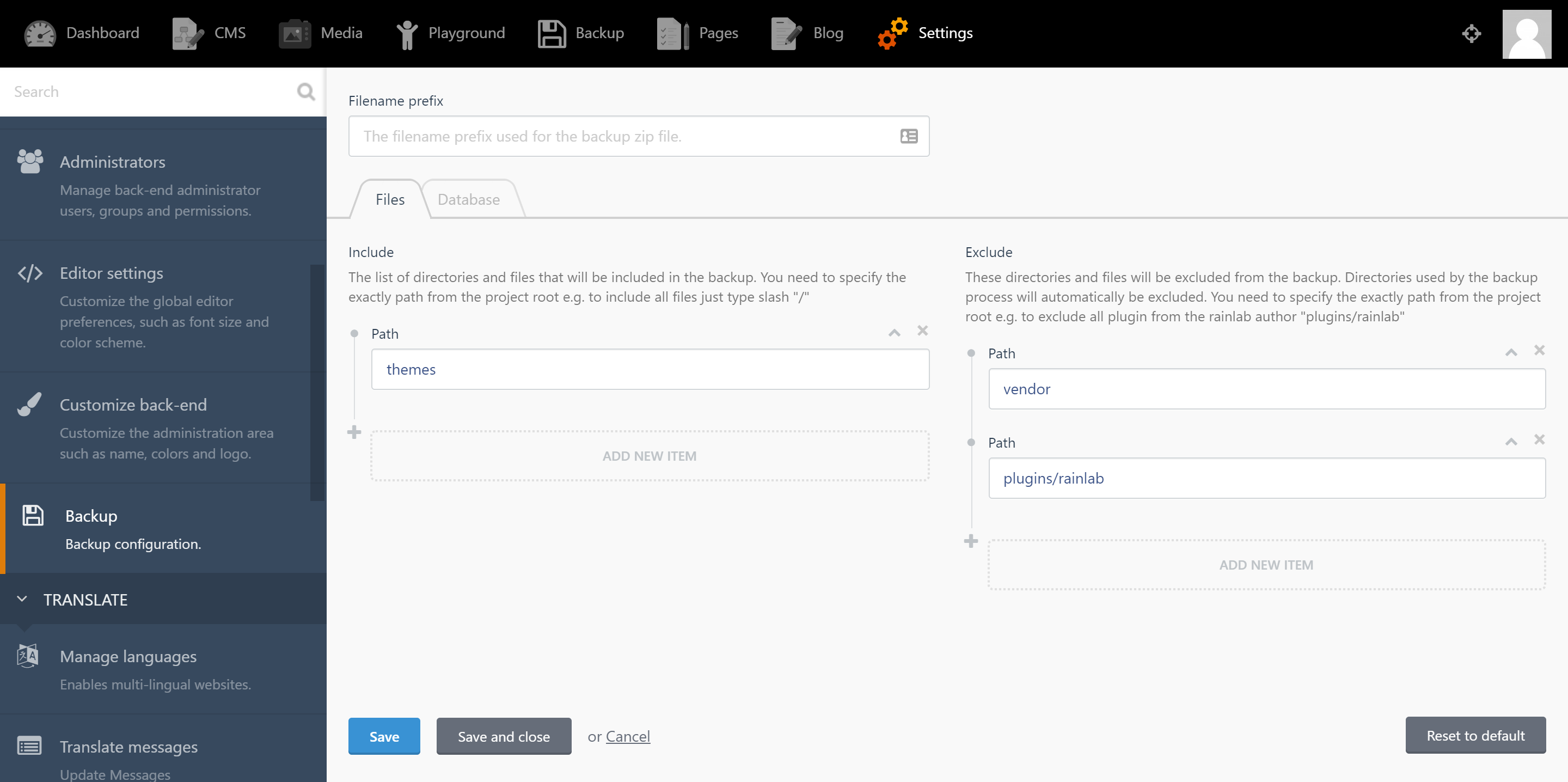
- You can easily include and exclude some files using the UI.
|
|
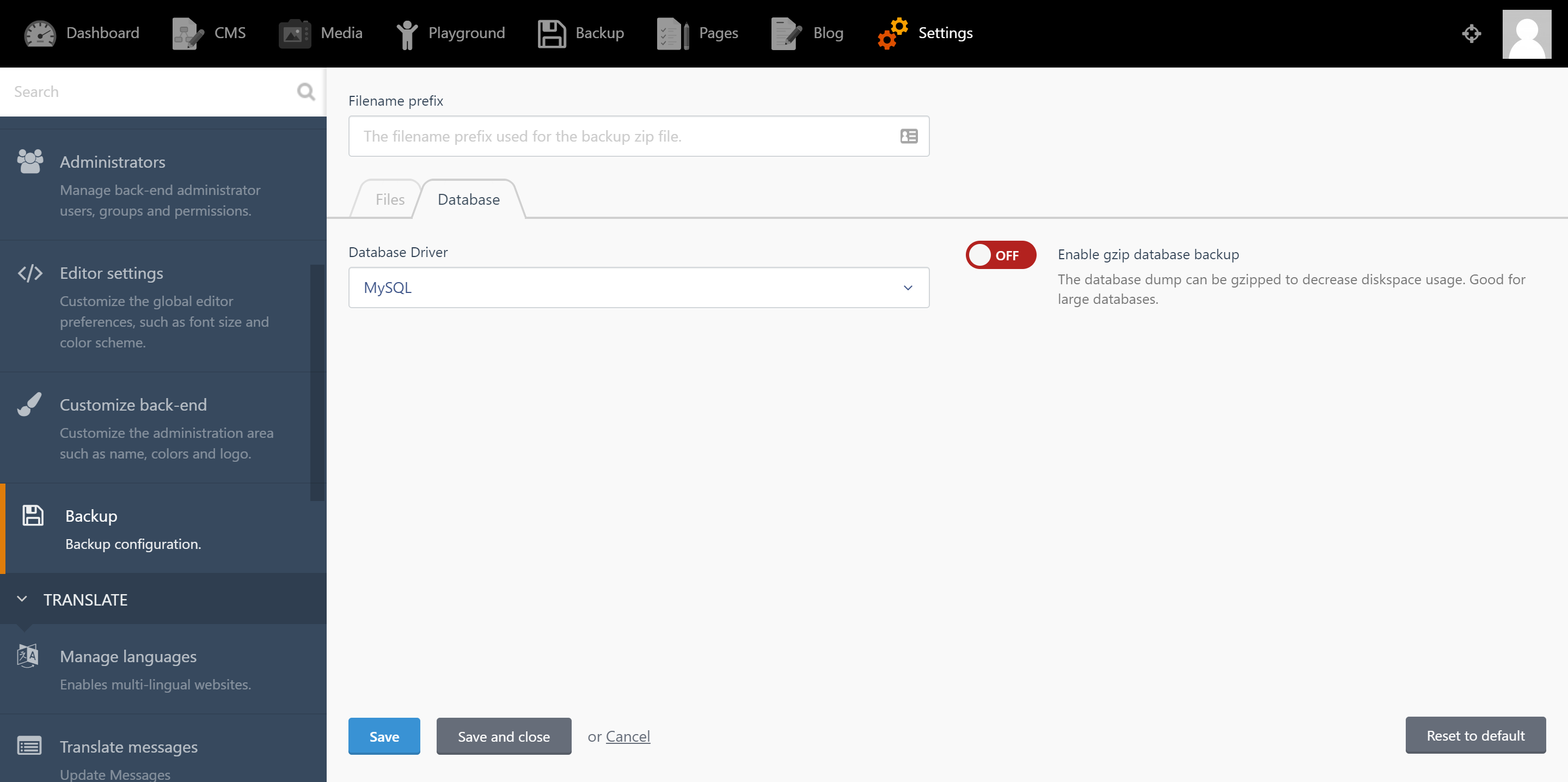
- Support gzip to reduce the database size.
|
|
|
|
<a name="usage"></a>
|
|
## Usage
|
|
1. To configure the backup system, from backend navigate to `Settings > System > Backup`.
|
|
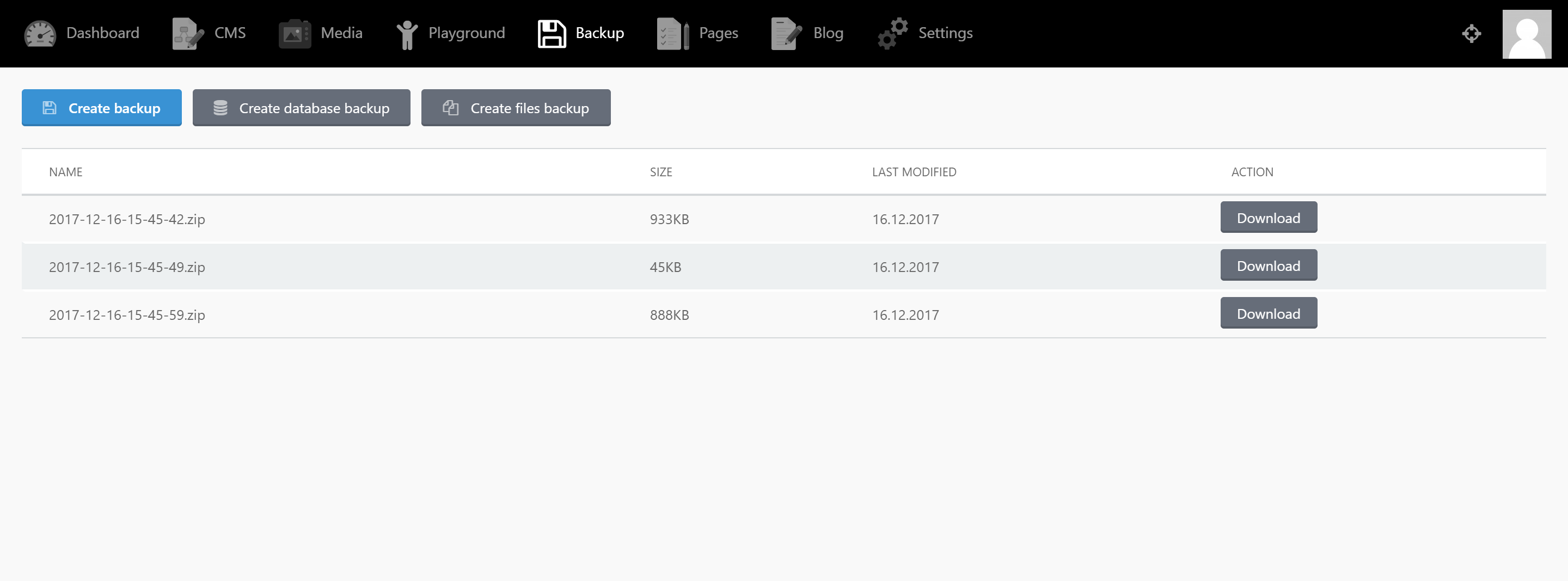
2. To create your first backup, from backend navigate to the backup section from the top main menu. From there you can create and download your backups by click the buttons.
|
|
|
|
<a name="storage"></a>
|
|
## Storage
|
|
##### Dropbox usage
|
|
The first thing you need to do is get an authorization token at Dropbox. A token can be generated in the [App Console](https://www.dropbox.com/developers/apps) for any Dropbox API app. You'll find more info at [the Dropbox Developer Blog](https://blogs.dropbox.com/developers/2014/05/generate-an-access-token-for-your-own-account/).
|
|
|
|
Then add to the `config/filesystems.php` file the followed array with your token and app name:
|
|
```php
|
|
'disks' => [
|
|
...
|
|
'dropbox' => [
|
|
'driver' => 'dropbox',
|
|
'app' => 'app-name',
|
|
'authorizationToken' => 'generated-access-token',
|
|
]
|
|
]
|
|
```
|
|
Be sure that you select `Dropbox` option from settings.
|
|
|
|
##### Webdav usage
|
|
|
|
Then add to the `config/filesystems.php` file the followed array with your token and app name:
|
|
```php
|
|
'disks' => [
|
|
...
|
|
'webdav' => [
|
|
'driver' => 'webdav',
|
|
'baseUri' => 'YOUR_WEBDAV_DOMAIN',
|
|
'path_prefix' => '/remote.php/dav/files/USERNAME/', //for nextcloud
|
|
'path_alias' => '',
|
|
'userName' => 'USER',
|
|
'password' => 'PASSWORD',
|
|
],
|
|
]
|
|
```
|
|
Be sure that you select `Webdav` option from settings.
|
|
|
|
<a name="dumping-db"></a>
|
|
## Dumping the database
|
|
`mysqldump` and `pg_dump` are used to dump the database. If they are not installed in a default location, you can add a key named `dump.dump_binary_path` in October's own `database.php` config file. **Only fill in the path to the binary**. Do not include the name of the binary itself.
|
|
|
|
If your database dump takes a long time, you might exceed the default timeout of 60 seconds. You can set a higher (or lower) limit by providing a `dump.timeout` config key which specifies, in seconds, how long the command may run.
|
|
|
|
Here's an example for MySQL:
|
|
|
|
```php
|
|
//config/database.php
|
|
'connections' => [
|
|
'mysql' => [
|
|
'driver' => 'mysql'
|
|
...,
|
|
'dump' => [
|
|
'dump_binary_path' => '/path/to/the/binary', // only the path, so without `mysqldump` or `pg_dump`
|
|
'use_single_transaction',
|
|
'timeout' => 60 * 5, // 5 minute timeout
|
|
'exclude_tables' => ['table1', 'table2'],
|
|
'add_extra_option' => '--optionname=optionvalue',
|
|
]
|
|
],
|
|
```
|
|
|
|
|
|
Also you can create backups from the command line using `Artisan`.
|
|
|
|
|
|
|